
New Account Open Options
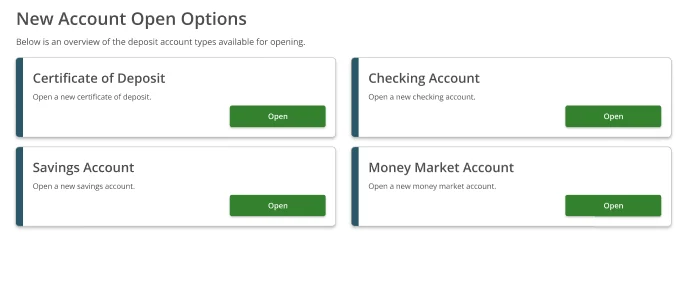
When a member navigates to the account opening section, the New Account Open Options screen shows all available deposit account types:- Certificate of Deposit
- Checking Account
- Savings Account
- Money Market Account
Opening a Certificate of Deposit
Step 1 — Choose a CD Type
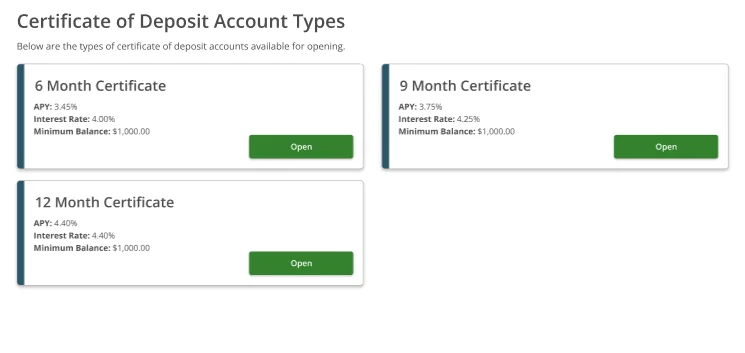
The Certificate of Deposit Account Types screen shows all available certificate terms for the institution. Each option displays:- Term length (e.g. 6 Month, 9 Month, 12 Month Certificate)
- APY
- Interest Rate
- Minimum Balance required
Step 2 — Fund Your New Certificate
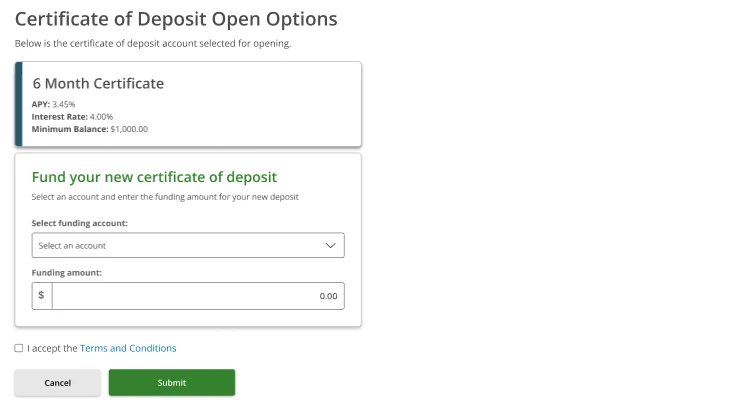
The Certificate of Deposit Open Options screen confirms the term selected at the top, then shows a Fund your new certificate of deposit section:- Select funding account — choose which of your accounts will fund the new CD
- Funding amount — enter the amount to deposit (must meet the minimum balance for the selected term)
- Terms and Conditions — check the box to accept before submitting
Step 3 — Select account and enter amount
Pick a funding account from the dropdown. The account name, masked account number, and current balance are shown so you can confirm the right account is selected. Enter the funding amount and check I accept the Terms and Conditions.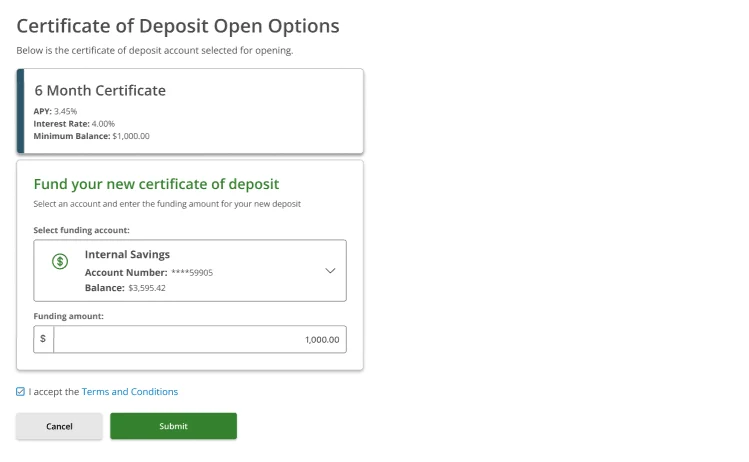
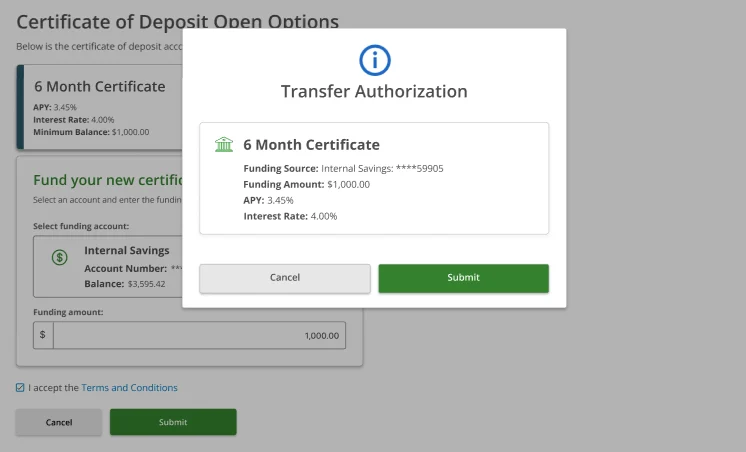
Step 4 — Transfer Authorization
A Transfer Authorization modal appears summarising the full transaction before it is submitted. Review every detail:| Field | What it shows |
|---|---|
| Certificate | The term being opened |
| Funding Source | Masked account number of the source account |
| Funding Amount | The amount being deposited |
| APY | Annual percentage yield for this term |
| Interest Rate | Interest rate for this term |
Step 5 — Success
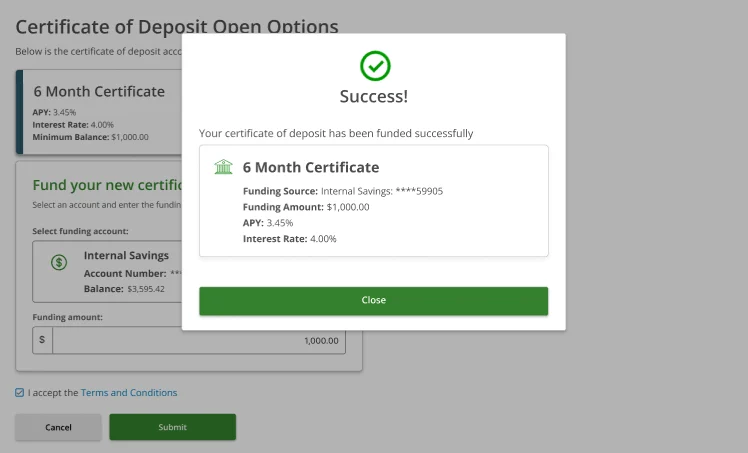
A Success confirmation modal confirms the new certificate has been funded. The final details are shown:- Certificate term name
- Funding Source
- Funding Amount
- APY
- Interest Rate
Minimum Balance Requirements
Each certificate type has a minimum balance that must be met at the time of opening. If the funding amount entered is below the minimum, the form will not allow submission.| Term | Minimum Balance |
|---|---|
| 6 Month Certificate | $1,000.00 |
| 9 Month Certificate | $1,000.00 |
| 12 Month Certificate | $1,000.00 |
Other Account Types
In addition to Certificates of Deposit, the account opening flow supports:- Checking Account — standard demand deposit account
- Savings Account — interest-bearing savings account
- Money Market Account — higher-yield savings with tiered rates