Checking Account Types
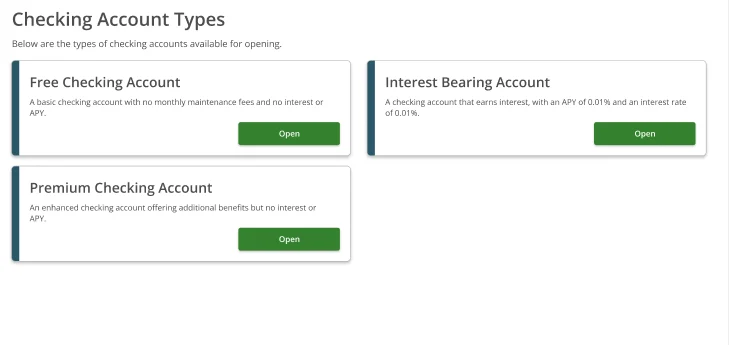
After selecting Checking Account from the New Account Open Options screen, the Checking Account Types screen lists every checking account tier available for the institution. Each option shows the account name and a brief description. Available types:| Account Type | Description |
|---|---|
| Free Checking Account | Basic checking with no monthly maintenance fees and no interest or APY |
| Interest Bearing Account | Checking account that earns interest — APY 0.01%, Interest Rate 0.01% |
| Premium Checking Account | Enhanced checking with additional benefits but no interest or APY |
Opening a Checking Account
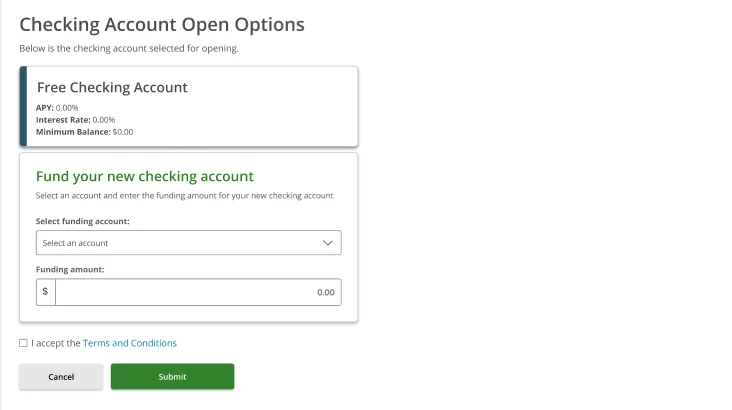
The following steps use the Free Checking Account as an example. The flow is identical for Interest Bearing and Premium Checking.Step 1 — Checking Account Open Options (blank form)
The Checking Account Open Options screen confirms the selected account at the top, then shows a Fund your new checking account section:- Select funding account — choose which account to fund from
- Funding amount — enter the opening deposit amount
- Terms and Conditions — check the box to accept before submitting
Step 2 — Select account and enter amount
Pick a funding account. The account name, masked account number, and current balance are shown. Enter the opening deposit amount and check I accept the Terms and Conditions.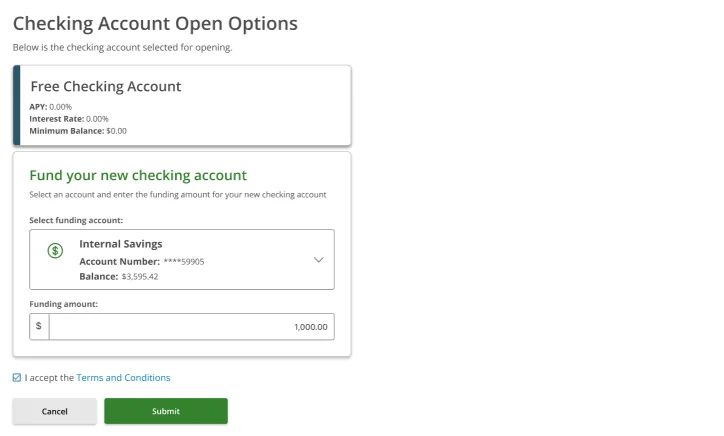
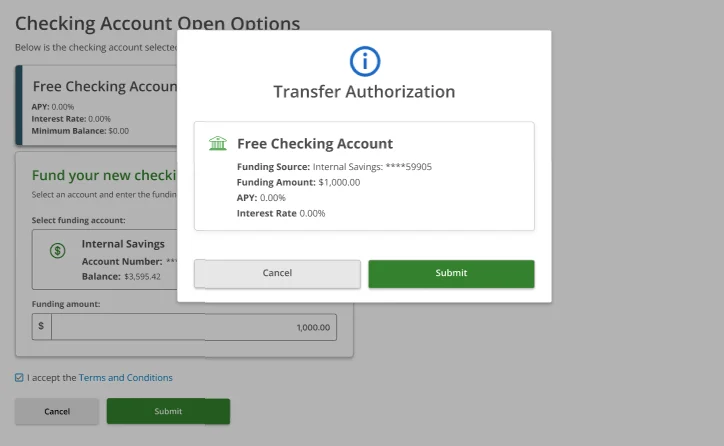
Step 3 — Transfer Authorization
A Transfer Authorization modal summarises the transaction. Review the details before confirming:| Field | What it shows |
|---|---|
| Account | The checking account type being opened |
| Funding Source | Masked account number of the source account |
| Funding Amount | The opening deposit amount |
| APY | Annual percentage yield (0.00% for non-interest types) |
| Interest Rate | Interest rate for the account |
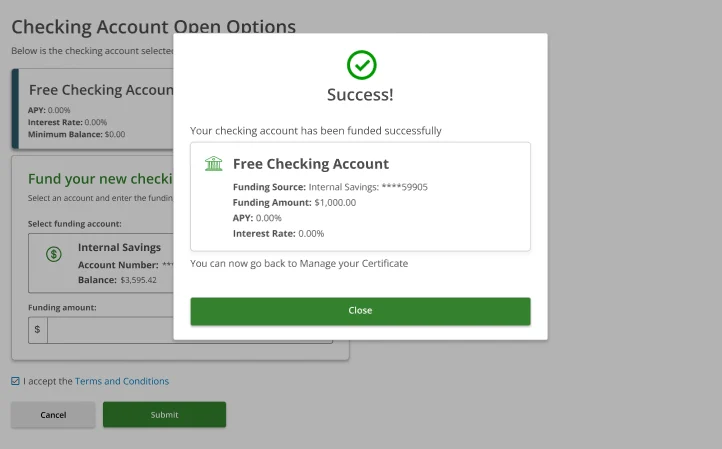
Step 4 — Success
A Success confirmation modal confirms the account has been funded. It shows the funding source, funding amount, APY, and interest rate.