Opening a Savings Account
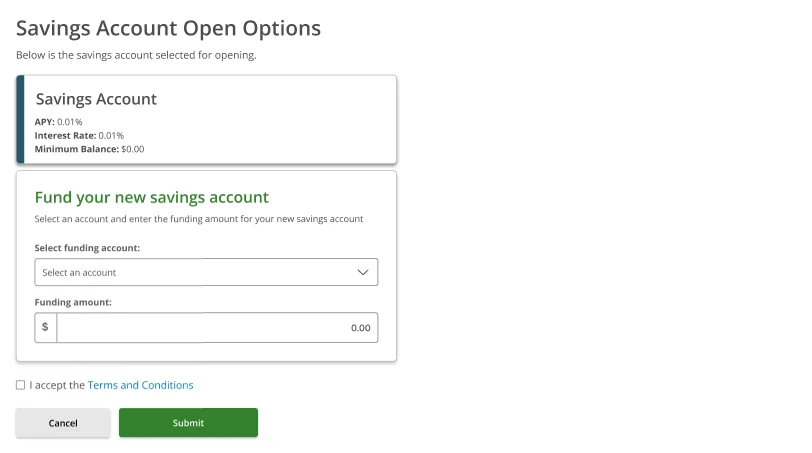
After selecting Savings Account from the New Account Open Options screen, the flow goes directly to the funding form — there is only one Savings Account type available, so no type selection step is needed.Step 1 — Savings Account Open Options (blank form)
The Savings Account Open Options screen shows the selected account details at the top and a Fund your new savings account section below:| Field | Detail |
|---|---|
| APY | 0.01% |
| Interest Rate | 0.01% |
| Minimum Balance | $0.00 |
- Select funding account — choose which account to fund from
- Funding amount — enter the opening deposit
- Terms and Conditions — check the box to accept before submitting
Step 2 — Select account and enter amount
Pick a funding account from the dropdown. The account name, masked account number, and current balance are displayed. Enter the opening deposit amount and check I accept the Terms and Conditions.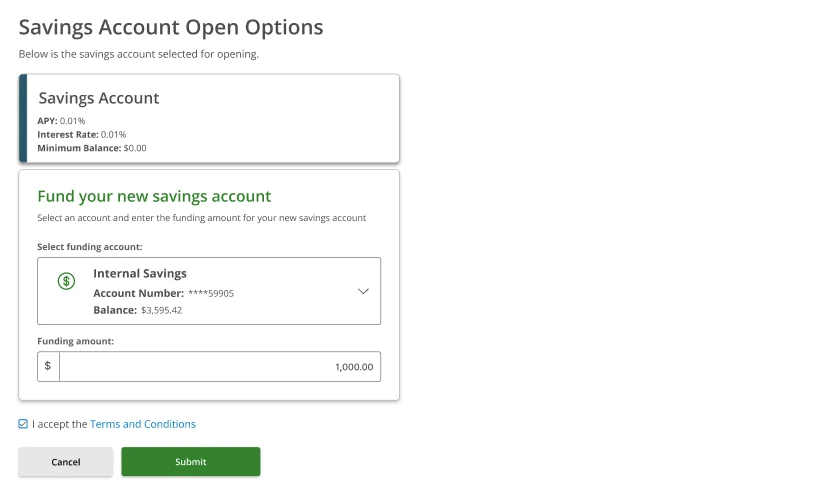
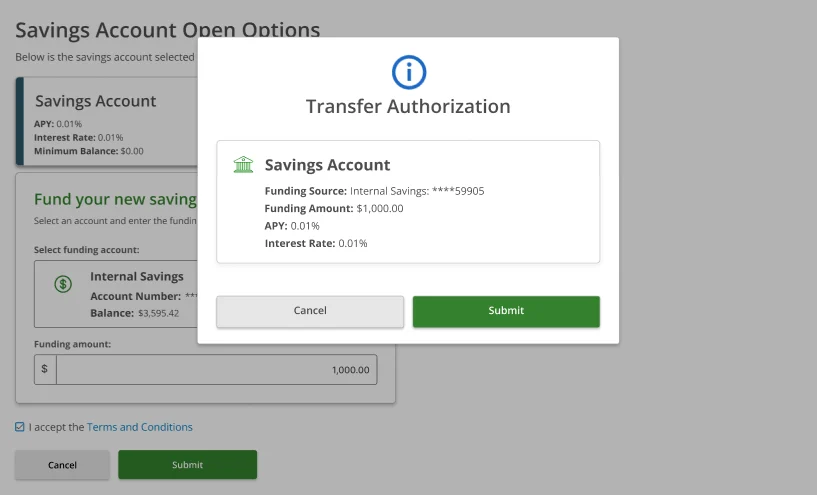
Step 3 — Transfer Authorization
A Transfer Authorization modal appears with a full summary before anything is submitted:| Field | What it shows |
|---|---|
| Account | Savings Account |
| Funding Source | Masked account number of the source account |
| Funding Amount | The opening deposit amount |
| APY | 0.01% |
| Interest Rate | 0.01% |
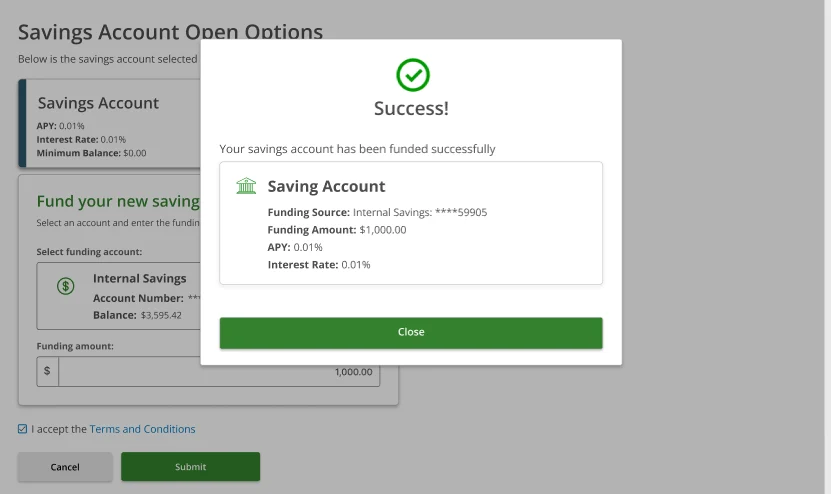
Step 4 — Success
A Success confirmation modal confirms the savings account has been funded.